
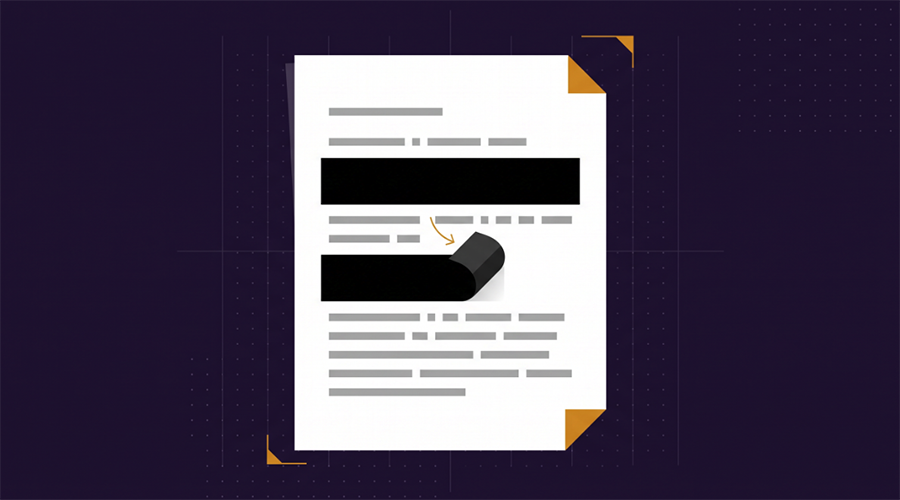
How to Redact a PDF Properly
Drawing a black rectangle over text does not remove it. The words are still in the file, still selectable, still one copy-paste away from whoever you sent it to. Here's what actually deletes them.
Redact a PDF Now →Why a Black Box Isn't Redaction
A PDF stores text and graphics as separate objects layered on top of each other. When you draw a filled rectangle in most PDF editors, you are adding one more object to the stack. The text underneath is untouched. It sits in the file exactly as before — it's just hidden behind something opaque.
Anyone can get it back. Select the region and copy. Open the file in a different reader. Run text extraction on it. None of that requires skill or special software, which is why improperly redacted documents leak with such regularity: court filings, settlement terms, government reports, and internal memos have all been exposed this way, usually by someone who simply highlighted the blacked-out area out of curiosity.
Real redaction has to destroy the underlying content, not cover it. Our Redact a PDF tool does that by flattening every page you mark, so there is nothing left underneath to recover.
Redact a PDF in Four Steps
1. Open your PDF. Drop the file in and each page appears as a preview. The document is read in your browser and never sent anywhere.
2. Drag across what you want gone. A name, an account number, a signature, an entire paragraph. Each drag adds a black box. Add as many as you need.
3. Page through the whole document. Use the page arrows and check every page. The same detail often appears more than once — in a header, a footer, or a summary table near the end.
4. Download. Every page you marked is rebuilt as a flat image with the boxes burned in. The text under them no longer exists in the file.
Preparing a document for release usually takes more than one step. You can remove pages that shouldn't be shared at all before redacting, add a signature to the finished version, or compress the result if it's too large to email.
When You Need This
Privileged passages and third-party details have to come out before a document is produced or filed. This is the context where a fake redaction does the most damage, because the file is going to people specifically looking for what's in it.
Proving income without handing over an account number, or sharing an invoice with the pricing on other line items removed. The numbers you black out are exactly the ones worth extracting.
Sharing a document while removing names, dates of birth, and identifiers. These fields are short and predictable, which makes them trivially easy to recover from a document that was only covered up.
Anything going out publicly where personal details have to be stripped first. Once a file is downloadable by anyone, a bad redaction is permanent and public.
What Flattening Costs You
Here's the honest tradeoff, because every real redaction tool makes it and most don't say so up front.
Destroying the text means discarding the page's text layer, so a redacted page becomes an image. That page will no longer be searchable or selectable afterward. You can't Ctrl-F it, you can't copy a quote out of it, and a screen reader can't read it. That is the price of the content actually being gone, and there is no version of genuine redaction that avoids it.
What our tool does do is limit the damage to where it's needed. Only pages you actually draw on are flattened. Every page you leave alone is copied across with its text intact and stays fully searchable. Redact two pages of a forty-page contract and thirty-eight pages come out unchanged.
Check These Before You Send It
The same detail elsewhere in the document. A name blacked out on page 3 is still exposed if it appears in a running header on every page. Page through the entire file.
Document properties. Redaction covers page content, not the PDF's metadata. The author field, title, and subject can carry a name or an internal file path. Check those in your PDF reader's properties panel separately.
Boxes drawn too tight. Leave a little margin. Descenders, italics, and accents often extend further than they appear on screen, and a sliver of a visible character can be enough to reconstruct a short field like a name or an account number.
The original file. Redacting produces a new document. Make sure it's the redacted copy you attach, not the original sitting next to it in your downloads folder with a nearly identical filename.
Why Your File Never Leaves Your Browser
Everything here runs locally. Your PDF is read into memory on your own machine, the pages are rebuilt there, and the finished file goes straight to your downloads folder. Nothing is transmitted, so there's no copy on a server to be retained, breached, or subpoenaed.
That matters more for redaction than for almost any other file operation. The documents people redact are, by definition, the ones containing something that shouldn't be seen — uploading them to a third party to remove the sensitive parts is a strange way to protect them.
Frequently Asked Questions
Does this actually remove the text, or just cover it?
It removes it. Every page you mark is rebuilt as a flat image with the black boxes burned in, so the original text objects are discarded rather than hidden. There is nothing underneath to select, copy, or extract.
Will my redacted PDF still be searchable?
Pages you redact will not be, because flattening them to images is what destroys the text. Pages you don't mark are copied across untouched and stay fully searchable and selectable.
Can I redact just a few pages of a long document?
Yes, and that's how it's designed to work. Only the pages you draw on are flattened. Every other page keeps its original text layer.
What does it cost to redact a PDF?
Redacting a document uses one credit regardless of how many pages or boxes it has. A free account comes with two credits so you can redact a document and check the result before deciding whether to buy more.
Is my document uploaded to a server?
No. The PDF is opened and rebuilt entirely in your browser. It is never transmitted, so no copy of it exists anywhere except on your own device.
Does this remove the document's metadata too?
No. Redaction applies to what's on the page. Fields like author, title, and subject live in the document properties and need to be cleared separately in your PDF reader.
Why won't my PDF open?
The most common cause is password protection, which prevents the file from being read in the browser. Open it in your usual PDF reader, remove the password, save a copy, and redact that.
Black boxes hide text. This deletes it. Draw over what has to go and download the clean file.
Redact a PDF Now →