
Is a Drawn Signature on a PDF Legally Binding?
Somewhere right now, a person is printing a two-page PDF so they can draw on it with a pen, then holding it flat on a kitchen counter to photograph it, then emailing back a crooked, yellowish, 14MB version of a document that was perfectly clean ten minutes ago.
They are doing this because of a belief that the signature does not count unless ink was involved somewhere in the process. That belief has been legally wrong in the United States since the year 2000. You can legally sign a pdf online easily.
The law settled this a quarter of a century ago
Two pieces of legislation do the work. The federal ESIGN Act, passed in 2000, establishes that a signature or contract cannot be denied legal effect purely because it was created electronically. The Uniform Electronic Transactions Act (UETA), drafted in 1999, does the same job at state level, and it has been adopted by 49 states plus DC, Puerto Rico and the US Virgin Islands — New York runs its own equivalent statute instead.
The definition of an electronic signature under these laws is much broader than most people assume. It covers a drawn mark, a typed name, a checkbox, and in some circumstances the way you signed off an email. The mechanism was never the point. Intent was the point.
One necessary caveat, and it is not boilerplate: this is a general explanation of how the law works, not legal advice about your specific document. If real money or real consequences are attached, ask a lawyer rather than a blog.
What actually makes a signature count
Both laws land on the same four conditions. Notice that none of them mention paper, ink, scanners, or any particular piece of software.
Intent to sign
You meant it as a signature. Someone doodling on a document to test their stylus has not signed anything.
Consent to sign electronically
Both parties are willing to do it this way. In practice, the other side emailing you a PDF and asking for it back signed is consent.
Attribution
The signature can be connected to you. An email thread showing the document going out and coming back does a lot of this work on its own.
Retention
The signed record can be kept and accurately reproduced later. A PDF sitting in your sent folder satisfies this comfortably.
Is a scanned signature a wet signature?
No — and this is the uncomfortable part of the print-sign-scan ritual. At the end of it you do not have a wet signature. You have a digital reproduction of one, which is legally the same category of thing as a signature you drew on screen.
Nobody receiving that file is examining pen pressure or ink absorption. They are looking at pixels — exactly like they would be if you had drawn the same shape with a mouse. The ink existed for about ninety seconds in your kitchen and then stopped being part of the story.
Meanwhile the round trip actively damages the document. A scanned page is an image, so the text inside it is no longer selectable or searchable. File size often multiplies. The page picks up a grey cast, a slight rotation, and the shadow of your own hand. You have taken a clean digital document, converted it into a worse digital document, and gained nothing legally for the trouble.
Where paper genuinely still matters
The exceptions to ESIGN and UETA are narrow but they are real, and they are worth knowing before you assume everything can be signed on screen. Commonly excluded:
- Wills, codicils and testamentary trusts. The most consistently excluded category, in most states.
- Family law documents — adoption paperwork, divorce agreements, and similar.
- Court orders and official court filings, which follow their own procedural rules.
- Certain real estate instruments such as deeds and, in some states, mortgages.
- Eviction and foreclosure notices, and some other notices affecting a person's housing or utilities.
- Anything requiring notarisation, which brings in a separate set of rules that vary by state.
The pattern is not hard to remember: the exceptions cluster around documents that decide where someone lives, who is in their family, or what happens after they die. Your apartment application, freelance contract, permission slip, vendor agreement, NDA, and W-9 are not on that list.
How to legally sign a PDF without printing
Once you accept that the printer is optional, the question becomes which of the remaining options is worth the hassle.
ApproachWhat it costs youWorth it whenPrint, sign, scanA printer, a scanner or phone, ten minutes, and a degraded fileThe other party has explicitly demanded a wet signatureAdobe AcrobatAn ongoing subscription for a feature you use twice a yearYou already pay for it for other reasonsDocuSign and similarAccounts, invitations, and an audit trail — for both partiesMultiple signers, high stakes, or you need a formal audit logSign it in your browserAbout thirty secondsOne signer, an everyday document, and you want the file to stay clean
The audit-trail platforms exist for a real reason. If you are closing on something significant, or you expect the signature itself to be disputed later, a service that timestamps and logs every action is genuinely buying you something. That is a small fraction of the documents most people sign.
The part nobody mentions about online signing tools
Think about what a document needs to contain before someone bothers signing it. A lease. An employment offer with your salary in it. A contract with a client. A tax form with your identification number on it.
These are the most sensitive files most people ever handle — and the standard way to sign one online is to upload it to a stranger's server, where it sits for some unspecified period governed by a privacy policy you did not read.
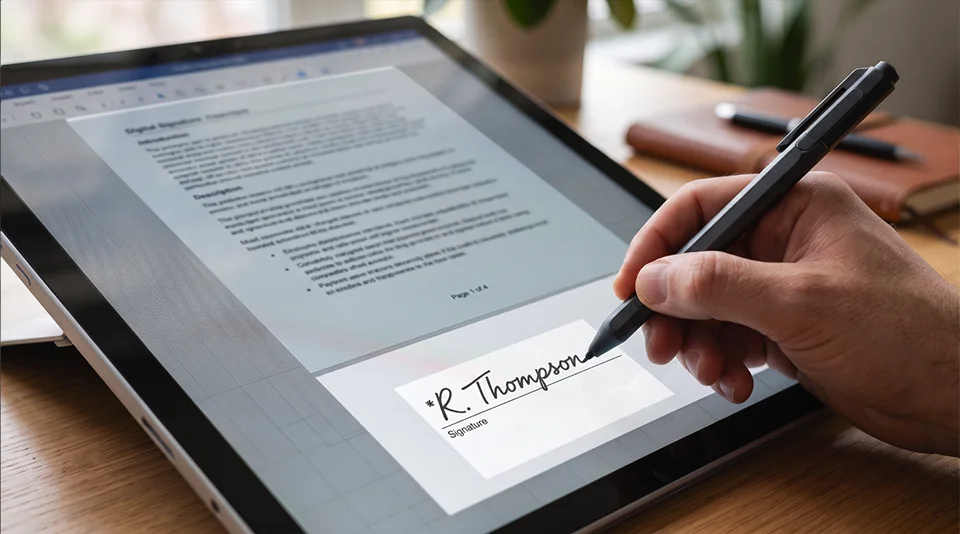
Our Sign a PDF tool does not do that. You draw your signature, place it on the page, and download the signed file. The PDF is opened and rewritten by JavaScript inside your own browser and is never transmitted anywhere. If you want to prove it, load the page, turn off your internet connection, and sign a document anyway — it still works.
The short version
For everyday documents, in every US state, a signature you drew on screen carries the same legal weight as one you drew with a pen and then photographed. The exceptions are specific and mostly involve wills, family courts and property.
The printer was never the legal requirement. It was just a habit that outlived the reason for it.
Frequently asked questions
Is a scanned signature a wet signature?
No. A scan is a digital reproduction — an image of a signature, not the signature itself. Once the page has been through a scanner or a phone camera, what the other party receives is pixels. That is the same category of evidence as a signature drawn directly onto the PDF, which is why the extra trip through the printer buys you nothing legally.
Is it legal to sign a PDF electronically?
Yes, in all fifty states. The federal ESIGN Act of 2000 established that a signature cannot be denied legal effect solely because it is electronic, and UETA does the same at state level in 49 states, with New York running its own equivalent statute. The signature needs to meet four conditions — intent, consent, attribution, and a retainable record — none of which involve paper.
Do I need a printer to sign a contract?
Not for ordinary documents. Leases, employment offers, client contracts, NDAs, permission slips and tax forms can all be signed on screen. Paper is still required for a narrow set of exceptions, mostly wills and testamentary trusts, family law matters, court orders, some real estate instruments, and anything requiring notarisation.
Does an electronically signed PDF hold up if it is challenged?
The signature itself is valid, but disputes usually turn on attribution — proving who signed. For an everyday document, the email thread showing the file going out and coming back is normally enough. If you genuinely expect the signature to be contested, a platform that generates a formal audit trail is worth the extra friction.
Sign a PDF without printing anything
Draw your signature, place it, download. The file never leaves your browser — no upload, no server, no subscription.
Keep going
- Why blacking out text in a PDF doesn't actually hide it — before you sign it, make sure the redactions on it are real.
- Remove PDF Metadata — see the author name and timestamps hidden inside a document before you send it back.
- Compress PDF to Size — for when someone sends you the scanned version anyway.